
· That Guy Sketch
The complete guide to domain management and registration for business
How to choose, register, secure and manage your business domain name — the foundation everything else online is built on.
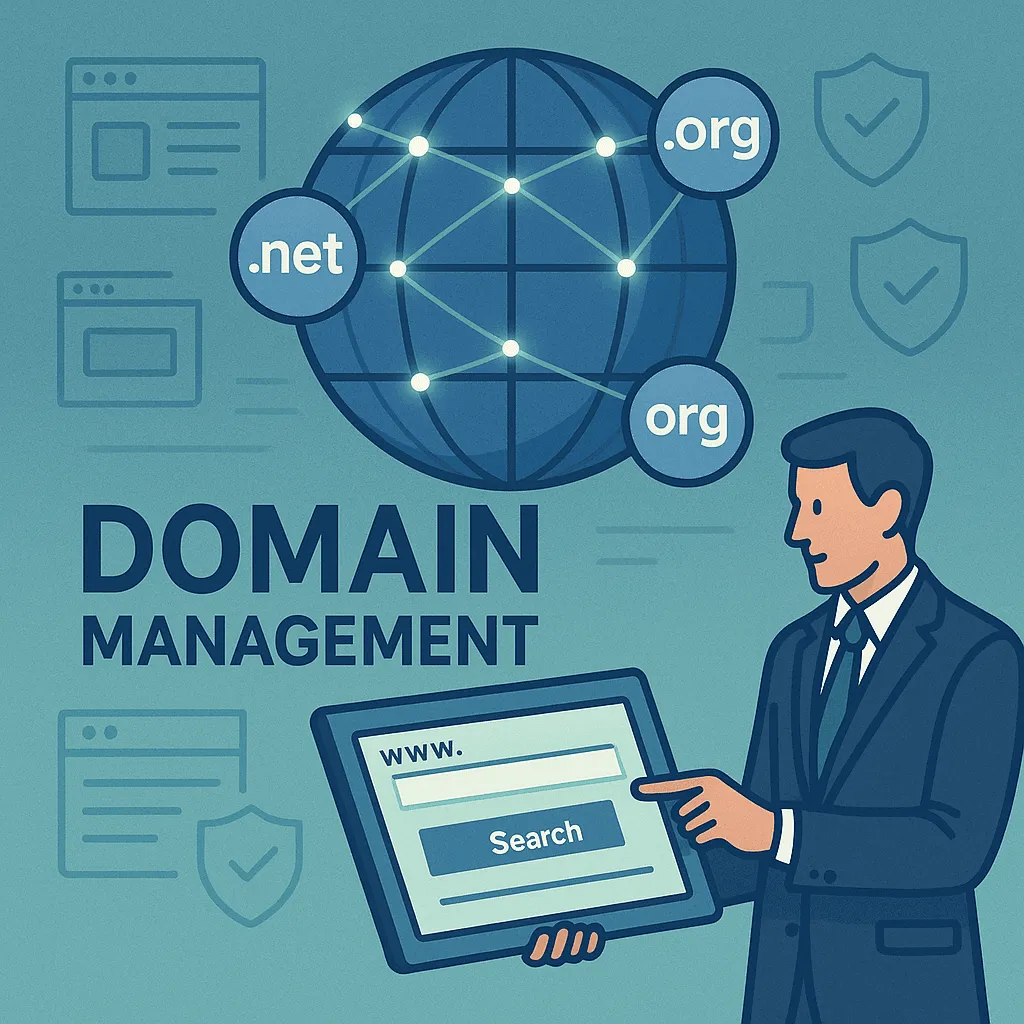
When we think about building a successful online presence, we often focus on website design, content and marketing. But there’s one element that everything else is built on: your domain name. Just as a street address helps people find a shop, your domain is how customers find and remember your business online.
This guide covers everything you need to know about registering and managing domains — whether you’re launching your first website or looking after several for an established business.
What is a domain name, and why does it matter?
A domain name is your unique address on the internet — what people type into their browser to find your website. Think of it as your digital real estate.
It has two parts: the name itself (like “thatguysketch”) and the extension (like “.com”). Together they make your web address. But a domain is more than an address: it’s part of your brand, it affects how search engines read your site, and it shapes how customers perceive your business.
The business impact of smart domain choices
We’ve seen plenty of businesses struggle because they didn’t think about their domain strategy at the start. A well-chosen domain makes a business easier to trust, easier to remember and easier to market. A poorly chosen one confuses customers, looks unprofessional and makes every campaign harder.
When potential customers see a clear, relevant domain name, it’s one more signal that they’re dealing with a real, established business.
How to choose the right domain name for your business
Keep it simple and memorable
The best domain names are easy to remember, spell and share. Avoid complex words, unusual spellings and long phrases. Your domain should be something customers can recall and type correctly, even when they heard it once in conversation.
If you run a local bakery, “sweettreatsbakery.com” is far better than “swt-trts-bkry-downtown.com”. The first is clear, memorable and tells visitors exactly what to expect.
Reflect your brand and business
Your domain should match your business name and brand. If you can, use your exact business name. That creates consistency across your marketing and makes you easier to find.
If your business name isn’t available, choose a variation that still clearly represents your brand — adding your location, a relevant keyword, or a descriptive word.
Consider search, but don’t chase it
Keywords in a domain matter far less for search than they once did. A relevant keyword can help people understand what you do, but don’t sacrifice brand clarity for it. A domain like “best-cheap-plumber-services-city.com” looks spammy. A brandable domain you can build a reputation around is worth more over time.
Choose the right extension
The extension — also called a top-level domain (TLD) — is the part after the dot. “.com” is still the most familiar, and there are now hundreds of alternatives, including industry-specific ones like “.tech”, “.store” or “.consulting”.
We generally recommend “.com” for most businesses because:
- It’s what people expect and trust most
- It’s the easiest to remember
- It’s the most valuable if you ever sell or transfer the domain
If the “.com” you want isn’t available, reputable alternatives like “.net”, “.org” or a relevant industry extension are fine.
The domain registration process, step by step
Step 1: research and check availability
Before falling in love with a name, check it’s available. Use a domain search tool to check different extensions, and check the name isn’t trademarked and that matching social media handles are available too.
Step 2: choose a reputable registrar
A registrar is a company authorised to sell and manage domain names. Look for one that offers:
- Competitive pricing with transparent renewal rates
- Reliable customer support
- Easy-to-use management tools
- Strong security features
- DNS (Domain Name System) management
If you’re looking for a registrar, TGS Domains offers domain services built around business needs, with reliable support.
Step 3: complete the registration
Once you’ve chosen a domain and a registrar, registration is straightforward. You’ll need to:
- Provide accurate contact information
- Choose a registration period (usually one to ten years)
- Set basic options like privacy protection
- Set up DNS records if needed
Step 4: configure the essential settings
After registering, turn on:
- WHOIS privacy protection, which hides your personal contact details from public domain databases
- Auto-renewal, which prevents accidental expiry
- Domain locking, which protects against unauthorised transfers
- DNS settings, which point your domain at your web host
Domain management best practices
Take security seriously
Criminals target domains because controlling one can give them access to your email, your website and your customers’ data. Protect yours with:
- Two-factor authentication (2FA) on your registrar account
- Domain locking, to prevent unauthorised transfers or changes
- Monitoring, with alerts for any change to your domain settings
- Strong, unique passwords for your registrar account
Keep your details current
Keep your registration contact details accurate so you receive renewal notices, security alerts and policy changes. Outdated details are one of the most common ways businesses lose domains.
Plan for renewal and growth
Forgetting to renew can mean losing your domain entirely. Turn on auto-renewal, and consider registering several years ahead to lock in pricing and keep control.
It’s also worth registering variations of your main domain — common misspellings, other extensions, or related names competitors might target.
Organise multiple domains
As you grow, you may pick up domains for different products, services or campaigns. Keep them organised:
- Use consistent naming conventions
- Document what each domain is for
- Manage them in one place where possible
- Regularly audit and retire unused domains
Domain strategies for growth
Expanding into new markets
If you plan to expand into other countries, consider registering country-specific domains — a US business expanding to Canada might register the “.ca” version. It can help with local search and builds trust with regional customers.
Protecting your brand
Established businesses often hold several domains to protect their brand:
- Common misspellings of the main domain
- Other extensions of the primary domain
- Domains related to products or services
- Domains competitors might use to confuse customers
It costs a little more, but it’s usually far cheaper than dealing with brand confusion or legal issues later.
Using subdomains
Subdomains create separate sections of a site for different purposes, like “blog.yourbusiness.com” or “shop.yourbusiness.com”. They can help organise content and support targeted campaigns.
Common domain mistakes to avoid
Letting domains expire
When a domain expires, anyone can register it — including competitors or criminals. Always turn on auto-renewal and keep an eye on expiry dates.
Treating security as set-and-forget
Domains need ongoing attention. Review your security settings, update passwords and watch for suspicious activity.
Choosing a registrar on price alone
The cheapest registrar can come with poor support, limited features or unreliable service. Weigh support, security and ease of use, not just the price.
Not planning for change
Businesses evolve, and your domain strategy should too. New markets, new products or a merger can all change what you need — planning ahead saves time and money.
Where domain management is heading
- More extensions: hundreds of new generic top-level domains offer more specific branding options.
- Stronger security standards: new protocols and authentication methods are being developed to counter domain-related threats.
- Mobile and voice: as more browsing happens on phones and by voice, short, easy-to-say domains matter even more.
Your next steps
Start with a quick audit of what you have:
- Review your current domains. List every domain you own and check it’s still relevant.
- Check your security. Make sure 2FA and domain locking are on and your contact details are current.
- Plan for growth. Consider which additional domains your plans might need.
- Choose the right partners. Work with reputable providers who understand business needs.
Your domain is often the first impression customers have of your business online. Treating it as a strategic decision rather than a technical chore pays off in credibility, easier marketing and long-term control.